

Table of Content
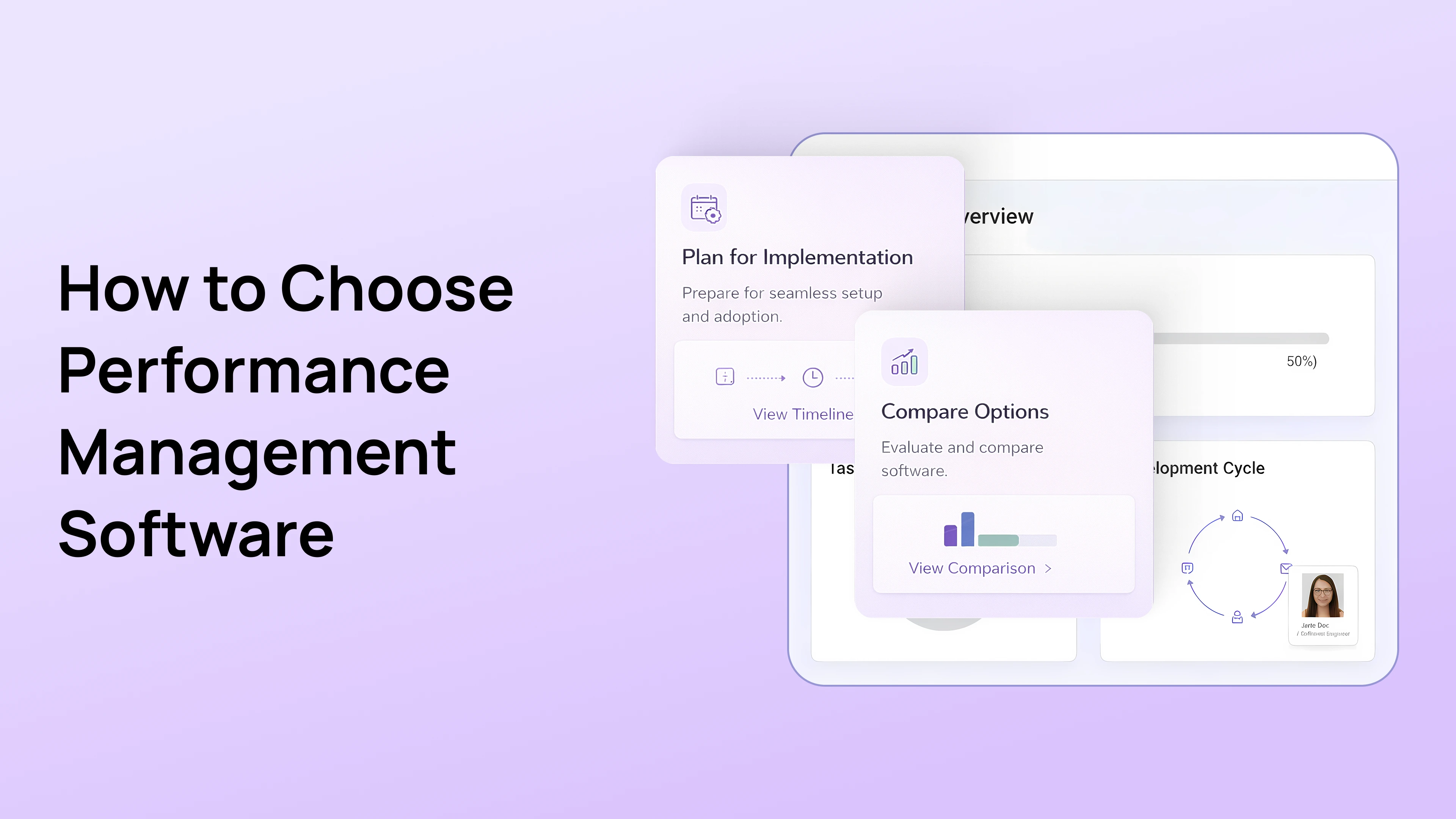
How to Choose Performance Management Software Without Overbuying (The Mid-Market Guide)
Buying HR technology in the mid-market (500 to 2,500 employees) is a high-stakes gamble. You exist in a difficult "Goldilocks" zone. If you choose a tool designed for small businesses, you will hit a functional ceiling within 18 months when you need complex permissions or data segmentation. However, if you opt for a legacy enterprise suite like Workday or SuccessFactors, you will likely spend six figures on implementation fees for features you will never use.
This creates the "Mid-Market Squeeze." You have enterprise-level complexity, such as security needs, compliance risks, and hierarchical depth, but you lack the army of consultants usually required to manage enterprise software.
This guide is your procurement playbook. We will strip away the marketing fluff and focus on the Technical & Functional Requirements that actually drive ROI. We will also reference the data-first philosophy covered in our previous guide on The PerformSpark Strategy to ensure your choice supports a connected ecosystem.
Why do mid-market companies overspend on HR technology?
The number one reason HR teams overbuy is that they purchase for "Potential" rather than "Reality." Buyers often get dazzled by demo features like complex matrix organizational charting or predictive attrition modeling because they think they might need them someday.
The Reality Check: If you cannot get your managers to do a basic weekly check-in, an AI retention model is useless. Complexity is the enemy of adoption.
To avoid overbuying, you must categorize your needs into three distinct buckets. Be ruthless in this prioritization.
What are the "Oxygen" features you must have?
If the tool fails here, do not buy it. These are the non-negotiables for daily operations.
- Mobile-First Design: If a manager cannot approve a goal on their phone, adoption fails.
- SSO (Single Sign-On): This is essential for security.
- Robust Goals Management: You need flexible cascading that supports the "W-Model" described in our Performance Management Blueprint.
What are the "Muscle" features that drive growth?
These features drive the Growth Triangle of Performance, Learning, and Compensation. They move you from "tracking" to "improving."
- Performance Calibration: The ability to normalize ratings across departments.
- Integrated Learning Paths: The ability to connect performance gaps directly to IDPs.
What are the "Jewelry" features you should avoid?
These are features that look great in a demo but add zero value to your current stage of maturity.
- Social Media-Style "Public Praise Walls": These often create noise and distract from strategic feedback.
- Rigid 9-Level Competency Matrices: These take hours to fill out and are rarely referenced after the review.
What is the difference between configurability and customization?
When evaluating vendors, this is the single most important technical question to ask. Many buyers use these terms interchangeably, but they have vastly different financial implications.
Customization (The Trap):
This requires code changes. You have to pay the vendor to build it specifically for you. If you change your process next year, you pay again. This is common in legacy Enterprise tools. It slows you down and drains your budget.
Configurability (The Freedom):
You toggle a switch in the admin panel to change the workflow. No code and no fees. This is essential for the mid-market.
The PerformSpark Approach: We built PerformSpark on a High-Configurability Architecture. Do you want to turn off "Peer Feedback" for the Engineering team but keep it for Sales? You can do that with a toggle. Do you want to change your rating scale from a 5-point scale to a 3-point scale midway through the year? You can do that in the settings.
Strategic Insight: Never buy software that requires a developer to change a form field. In the mid-market, agility is your competitive advantage.
Which integrations are essential for an HR tech stack?
Your performance tool cannot be an island. As we discussed in The PerformSpark Strategy, data must flow seamlessly between systems. If your performance data is stuck in a silo, it cannot influence pay or learning. Before scheduling a demo, map these three critical integration points.
1. Is the HRIS integration bi-directional?
Does the tool sync daily with your HRIS like ADP, BambooHR, or UKG?
- The Risk: If you have to manually upload CSV files of new hires every Friday, the system will fail. Data latency leads to new hires missing their onboarding goals.
- The Requirement: Look for bi-directional API integrations that handle organizational hierarchy changes automatically.
2. Does it integrate with communication tools?
Does the system work within Slack or MS Teams?
- The Reality: In 2026, work happens in chat apps. If a manager has to log into a separate browser tab to give feedback, they won't do it.
- The Requirement: You need a "Nudge" bot that lives where your people work.
3. Does it support SSO security standards?
Does it support SAML or Okta?
The Requirement: For any company with over 500 employees, this is non-negotiable for security compliance. If a vendor asks you to manage separate passwords, they are not enterprise-ready.
What features are essential for a mid-market feature audit?
In a sales demo, every feature looks essential. The salesperson will show you complex analytics and social feeds that look impressive. But remember that Adoption is the only metric that matters.
If your managers find the tool difficult to use, they won't use it. If they don't use it, you have just bought an expensive digital filing cabinet.
Here is how to audit the Core Clusters of performance management to ensure you are buying for the right reasons.
Should goal setting be rigid or flexible?
Many lightweight tools treat goals as simple text lists like "Do X by Y date." This is fine for a startup, but fatal for a growing mid-market company. Conversely, legacy enterprise tools often require a PhD to set up a goal hierarchy.
What to Avoid:
- Rigid Top-Down Enforcement: Systems that force every individual goal to be mathematically linked to a CEO's objective. This kills agility and frustrates teams who do operational work that doesn't directly link to revenue.
- "Set and Forget" Interfaces: If the goal page is separate from the weekly check-in page, the goals will be ignored until December.
What to Buy:
Look for Flexible Cascading. You need a tool that supports the "W-Model," where top-down alignment meets bottom-up innovation.
- The Litmus Test: Ask the vendor: "Can a manager update a goal status directly from their weekly check-in screen?"
- The Solution: Our Goals Management Software is deeply integrated with daily workflows. This ensures goals are living data points rather than static text.
Is it better to have continuous check-ins or annual reviews?
The biggest source of waste is the Annual Review module. Companies pay thousands for a sophisticated review builder that they use once a year. The real value lies in the other 51 weeks of the year.
What to Avoid:
- The 9-Page Form: If the default review template takes 2 hours to complete, your completion rates will plummet.
- Disconnected Modules: If Check-ins and Reviews are two different apps, data won't flow. You will end up with "Recency Bias" because the reviewer can't see the history.
What to Buy:
Prioritize Integrated Check-ins. You want a system where the Performance Review is simply a summary of the 52 weekly check-ins that already happened.
- The ROI: This feature alone saves managers 5 to 10 hours per review cycle. This justifies the software cost immediately.
How can peer feedback be used effectively?
In the mid-market, cross-functional work is the norm. A manager often doesn't see 50% of what their direct report does. This makes peer feedback crucial.
What to Avoid:
- Unstructured "Praise Walls": These look like social media feeds. They feel good but provide zero data for compensation decisions.
- Anonymous-Only Feedback: This breeds toxic cultures where employees can snipe at each other without accountability.
What to Buy:
Look for Contextual 360s. You need 360 Degree Feedback that is tied to specific competencies or projects rather than just general vibes.
- The Litmus Test: "Can I pull this peer feedback directly into the calibration view?" If the answer is no, the data is useless for decision-making.
How does TrAI differ from generic AI in HR tech?
AI is the buzzword of 2026. However, most vendors offer "Black Box" AI that spits out retention scores without context. For the mid-market, you need Intelligence that coaches rather than just calculates.
What to Avoid:
- Algorithms without Explainability: Scores that flag an employee as "at risk" without telling you why.
- Generative Noise: AI that writes the entire review for the manager. This removes the human element entirely.
What to Buy: Ethical Nudges. This is why we built TrAI, our proprietary intelligence engine.
What makes TrAI an ethical coaching engine?
Instead of just reporting data via Performance Analytics, TrAI acts as a coach.
- Bias Prevention: If a manager writes feedback that sounds aggressive or biased, TrAI provides a real-time "Nudge" to soften the tone before it is sent.
- Actionable Insights: It doesn't just measure performance. It improves the quality of the conversation.
What is the best strategy for implementing performance software?
The most common cause of "Software Regret" is not bad software. It is a bad rollout. Mid-market companies often try to launch Goals, Reviews, 360s, and Pulse Surveys all on Day 1. This creates "Change Fatigue," and managers revolt.
To maximize ROI, we recommend a phased approach that mirrors the Growth Triangle philosophy.
What happens in Phase 1 (Stabilize)?
Timeline: Months 1 to 3. Focus exclusively on the basics.
- The Objective: Get everyone in the habit of logging in once a week.
- The Action: Digitize existing goals and train managers on the ATA Model, which stands for Align, Track, Achieve.
- The Win: You immediately eliminate the anxiety executives feel when they ask, "What are my people working on?"
What happens in Phase 2 (Socialize)?
Timeline: Months 4 to 6. Introduce social recognition to build culture.
- The Objective: Build a culture of recognition.
- The Action: Enable peer feedback modules and Slack or Teams integrations.
- The Win: Employee engagement scores typically rise as teams feel more visible.
What happens in Phase 3 (Optimize)?
Timeline: Months 7 and beyond. Launch the advanced strategic tools: Performance Calibration and Individual Development Plans (IDPs).
- The Objective: Link performance data to pay and learning.
- The Action: Run your first data-backed review cycle using TrAI to flag bias.
- The Win: You execute a fair compensation cycle with defensible data. This reduces legal risk and voluntary turnover.
How do you calculate ROI to justify the budget to a CFO?
Your CFO does not care about "Engagement Scores" or "Culture." They care about ROI (Return on Investment). When presenting your business case for PerformSpark, focus on these two hard metrics.
How much money does efficiency save?
Calculate the hours wasted on manual reviews.
- The Math: Average Manager Salary ($120k) divided by 2,000 hours equals $60 per hour.
- The Reality: A manual review process takes approximately 10 hours per manager per cycle. This includes chasing forms, formatting Word docs, and meetings.
- The PerformSpark Impact: Automated summaries and workflows reduce this to approximately 2 hours.
- The Savings: 8 hours saved multiplied by $60 per hour multiplied by 50 Managers equals **$24,000 in immediate productivity gains per cycle.**
How much does retention save the business?
Turnover is expensive. Replacing a mid-level employee costs approximately 1.5 times their salary.
- The Math: If you lose 10 employees a year at an average salary of $80k, that is **$1.2 Million** in replacement costs.
- The PerformSpark Impact: As noted in our PerformSpark Strategy guide, connecting goals to career growth reduces voluntary turnover by up to 30% over three years.
- The Savings: Saving just three employees pays for the software license five times over.
Why is PerformSpark the "Goldilocks Solution" for the mid-market?
The mid-market is unforgiving. You are too big for spreadsheets but too agile for legacy ERPs. You need a partner that fits "just right."
PerformSpark is purpose-built for this specific stage of growth. We offer the enterprise-grade Security and TrAI Intelligence you need, with the Configurability and Usability your managers want.
Don't let "Overbuying" drain your budget. Don't let "Underbuying" stunt your growth. Choose the platform that grows with you.
Ready to right-size your performance stack?
Stop paying for features you do not use. Book a Consultative Demo and let us show you exactly what a lean, high-impact performance ecosystem looks like.
How to Choose Performance Management Software Without Overbuying (The Mid-Market Guide)
Buying HR technology in the mid-market (500 to 2,500 employees) is a high-stakes gamble. You exist in a difficult "Goldilocks" zone. If you choose a tool designed for small businesses, you will hit a functional ceiling within 18 months when you need complex permissions or data segmentation. However, if you opt for a legacy enterprise suite like Workday or SuccessFactors, you will likely spend six figures on implementation fees for features you will never use.
This creates the "Mid-Market Squeeze." You have enterprise-level complexity, such as security needs, compliance risks, and hierarchical depth, but you lack the army of consultants usually required to manage enterprise software.
This guide is your procurement playbook. We will strip away the marketing fluff and focus on the Technical & Functional Requirements that actually drive ROI. We will also reference the data-first philosophy covered in our previous guide on The PerformSpark Strategy to ensure your choice supports a connected ecosystem.
Why do mid-market companies overspend on HR technology?
The number one reason HR teams overbuy is that they purchase for "Potential" rather than "Reality." Buyers often get dazzled by demo features like complex matrix organizational charting or predictive attrition modeling because they think they might need them someday.
The Reality Check: If you cannot get your managers to do a basic weekly check-in, an AI retention model is useless. Complexity is the enemy of adoption.
To avoid overbuying, you must categorize your needs into three distinct buckets. Be ruthless in this prioritization.
What are the "Oxygen" features you must have?
If the tool fails here, do not buy it. These are the non-negotiables for daily operations.
- Mobile-First Design: If a manager cannot approve a goal on their phone, adoption fails.
- SSO (Single Sign-On): This is essential for security.
- Robust Goals Management: You need flexible cascading that supports the "W-Model" described in our Performance Management Blueprint.
What are the "Muscle" features that drive growth?
These features drive the Growth Triangle of Performance, Learning, and Compensation. They move you from "tracking" to "improving."
- Performance Calibration: The ability to normalize ratings across departments.
- Integrated Learning Paths: The ability to connect performance gaps directly to IDPs.
What are the "Jewelry" features you should avoid?
These are features that look great in a demo but add zero value to your current stage of maturity.
- Social Media-Style "Public Praise Walls": These often create noise and distract from strategic feedback.
- Rigid 9-Level Competency Matrices: These take hours to fill out and are rarely referenced after the review.
What is the difference between configurability and customization?
When evaluating vendors, this is the single most important technical question to ask. Many buyers use these terms interchangeably, but they have vastly different financial implications.
Customization (The Trap):
This requires code changes. You have to pay the vendor to build it specifically for you. If you change your process next year, you pay again. This is common in legacy Enterprise tools. It slows you down and drains your budget.
Configurability (The Freedom):
You toggle a switch in the admin panel to change the workflow. No code and no fees. This is essential for the mid-market.
The PerformSpark Approach: We built PerformSpark on a High-Configurability Architecture. Do you want to turn off "Peer Feedback" for the Engineering team but keep it for Sales? You can do that with a toggle. Do you want to change your rating scale from a 5-point scale to a 3-point scale midway through the year? You can do that in the settings.
Strategic Insight: Never buy software that requires a developer to change a form field. In the mid-market, agility is your competitive advantage.
Which integrations are essential for an HR tech stack?
Your performance tool cannot be an island. As we discussed in The PerformSpark Strategy, data must flow seamlessly between systems. If your performance data is stuck in a silo, it cannot influence pay or learning. Before scheduling a demo, map these three critical integration points.
1. Is the HRIS integration bi-directional?
Does the tool sync daily with your HRIS like ADP, BambooHR, or UKG?
- The Risk: If you have to manually upload CSV files of new hires every Friday, the system will fail. Data latency leads to new hires missing their onboarding goals.
- The Requirement: Look for bi-directional API integrations that handle organizational hierarchy changes automatically.
2. Does it integrate with communication tools?
Does the system work within Slack or MS Teams?
- The Reality: In 2026, work happens in chat apps. If a manager has to log into a separate browser tab to give feedback, they won't do it.
- The Requirement: You need a "Nudge" bot that lives where your people work.
3. Does it support SSO security standards?
Does it support SAML or Okta?
The Requirement: For any company with over 500 employees, this is non-negotiable for security compliance. If a vendor asks you to manage separate passwords, they are not enterprise-ready.
What features are essential for a mid-market feature audit?
In a sales demo, every feature looks essential. The salesperson will show you complex analytics and social feeds that look impressive. But remember that Adoption is the only metric that matters.
If your managers find the tool difficult to use, they won't use it. If they don't use it, you have just bought an expensive digital filing cabinet.
Here is how to audit the Core Clusters of performance management to ensure you are buying for the right reasons.
Should goal setting be rigid or flexible?
Many lightweight tools treat goals as simple text lists like "Do X by Y date." This is fine for a startup, but fatal for a growing mid-market company. Conversely, legacy enterprise tools often require a PhD to set up a goal hierarchy.
What to Avoid:
- Rigid Top-Down Enforcement: Systems that force every individual goal to be mathematically linked to a CEO's objective. This kills agility and frustrates teams who do operational work that doesn't directly link to revenue.
- "Set and Forget" Interfaces: If the goal page is separate from the weekly check-in page, the goals will be ignored until December.
What to Buy:
Look for Flexible Cascading. You need a tool that supports the "W-Model," where top-down alignment meets bottom-up innovation.
- The Litmus Test: Ask the vendor: "Can a manager update a goal status directly from their weekly check-in screen?"
- The Solution: Our Goals Management Software is deeply integrated with daily workflows. This ensures goals are living data points rather than static text.
Is it better to have continuous check-ins or annual reviews?
The biggest source of waste is the Annual Review module. Companies pay thousands for a sophisticated review builder that they use once a year. The real value lies in the other 51 weeks of the year.
What to Avoid:
- The 9-Page Form: If the default review template takes 2 hours to complete, your completion rates will plummet.
- Disconnected Modules: If Check-ins and Reviews are two different apps, data won't flow. You will end up with "Recency Bias" because the reviewer can't see the history.
What to Buy:
Prioritize Integrated Check-ins. You want a system where the Performance Review is simply a summary of the 52 weekly check-ins that already happened.
- The ROI: This feature alone saves managers 5 to 10 hours per review cycle. This justifies the software cost immediately.
How can peer feedback be used effectively?
In the mid-market, cross-functional work is the norm. A manager often doesn't see 50% of what their direct report does. This makes peer feedback crucial.
What to Avoid:
- Unstructured "Praise Walls": These look like social media feeds. They feel good but provide zero data for compensation decisions.
- Anonymous-Only Feedback: This breeds toxic cultures where employees can snipe at each other without accountability.
What to Buy:
Look for Contextual 360s. You need 360 Degree Feedback that is tied to specific competencies or projects rather than just general vibes.
- The Litmus Test: "Can I pull this peer feedback directly into the calibration view?" If the answer is no, the data is useless for decision-making.
How does TrAI differ from generic AI in HR tech?
AI is the buzzword of 2026. However, most vendors offer "Black Box" AI that spits out retention scores without context. For the mid-market, you need Intelligence that coaches rather than just calculates.
What to Avoid:
- Algorithms without Explainability: Scores that flag an employee as "at risk" without telling you why.
- Generative Noise: AI that writes the entire review for the manager. This removes the human element entirely.
What to Buy: Ethical Nudges. This is why we built TrAI, our proprietary intelligence engine.
What makes TrAI an ethical coaching engine?
Instead of just reporting data via Performance Analytics, TrAI acts as a coach.
- Bias Prevention: If a manager writes feedback that sounds aggressive or biased, TrAI provides a real-time "Nudge" to soften the tone before it is sent.
- Actionable Insights: It doesn't just measure performance. It improves the quality of the conversation.
What is the best strategy for implementing performance software?
The most common cause of "Software Regret" is not bad software. It is a bad rollout. Mid-market companies often try to launch Goals, Reviews, 360s, and Pulse Surveys all on Day 1. This creates "Change Fatigue," and managers revolt.
To maximize ROI, we recommend a phased approach that mirrors the Growth Triangle philosophy.
What happens in Phase 1 (Stabilize)?
Timeline: Months 1 to 3. Focus exclusively on the basics.
- The Objective: Get everyone in the habit of logging in once a week.
- The Action: Digitize existing goals and train managers on the ATA Model, which stands for Align, Track, Achieve.
- The Win: You immediately eliminate the anxiety executives feel when they ask, "What are my people working on?"
What happens in Phase 2 (Socialize)?
Timeline: Months 4 to 6. Introduce social recognition to build culture.
- The Objective: Build a culture of recognition.
- The Action: Enable peer feedback modules and Slack or Teams integrations.
- The Win: Employee engagement scores typically rise as teams feel more visible.
What happens in Phase 3 (Optimize)?
Timeline: Months 7 and beyond. Launch the advanced strategic tools: Performance Calibration and Individual Development Plans (IDPs).
- The Objective: Link performance data to pay and learning.
- The Action: Run your first data-backed review cycle using TrAI to flag bias.
- The Win: You execute a fair compensation cycle with defensible data. This reduces legal risk and voluntary turnover.
How do you calculate ROI to justify the budget to a CFO?
Your CFO does not care about "Engagement Scores" or "Culture." They care about ROI (Return on Investment). When presenting your business case for PerformSpark, focus on these two hard metrics.
How much money does efficiency save?
Calculate the hours wasted on manual reviews.
- The Math: Average Manager Salary ($120k) divided by 2,000 hours equals $60 per hour.
- The Reality: A manual review process takes approximately 10 hours per manager per cycle. This includes chasing forms, formatting Word docs, and meetings.
- The PerformSpark Impact: Automated summaries and workflows reduce this to approximately 2 hours.
- The Savings: 8 hours saved multiplied by $60 per hour multiplied by 50 Managers equals **$24,000 in immediate productivity gains per cycle.**
How much does retention save the business?
Turnover is expensive. Replacing a mid-level employee costs approximately 1.5 times their salary.
- The Math: If you lose 10 employees a year at an average salary of $80k, that is **$1.2 Million** in replacement costs.
- The PerformSpark Impact: As noted in our PerformSpark Strategy guide, connecting goals to career growth reduces voluntary turnover by up to 30% over three years.
- The Savings: Saving just three employees pays for the software license five times over.
Why is PerformSpark the "Goldilocks Solution" for the mid-market?
The mid-market is unforgiving. You are too big for spreadsheets but too agile for legacy ERPs. You need a partner that fits "just right."
PerformSpark is purpose-built for this specific stage of growth. We offer the enterprise-grade Security and TrAI Intelligence you need, with the Configurability and Usability your managers want.
Don't let "Overbuying" drain your budget. Don't let "Underbuying" stunt your growth. Choose the platform that grows with you.
Ready to right-size your performance stack?
Stop paying for features you do not use. Book a Consultative Demo and let us show you exactly what a lean, high-impact performance ecosystem looks like.





.svg)

.svg)
.svg)